
Jellypod
A Jellyfin plugin that adds podcast support to your media server.
Quick Install
Add this repository URL in Jellyfin (Dashboard → Plugins → Repositories):
https://gitea.tourolle.paris/dtourolle/jellypod/raw/branch/master/manifest.json
Features
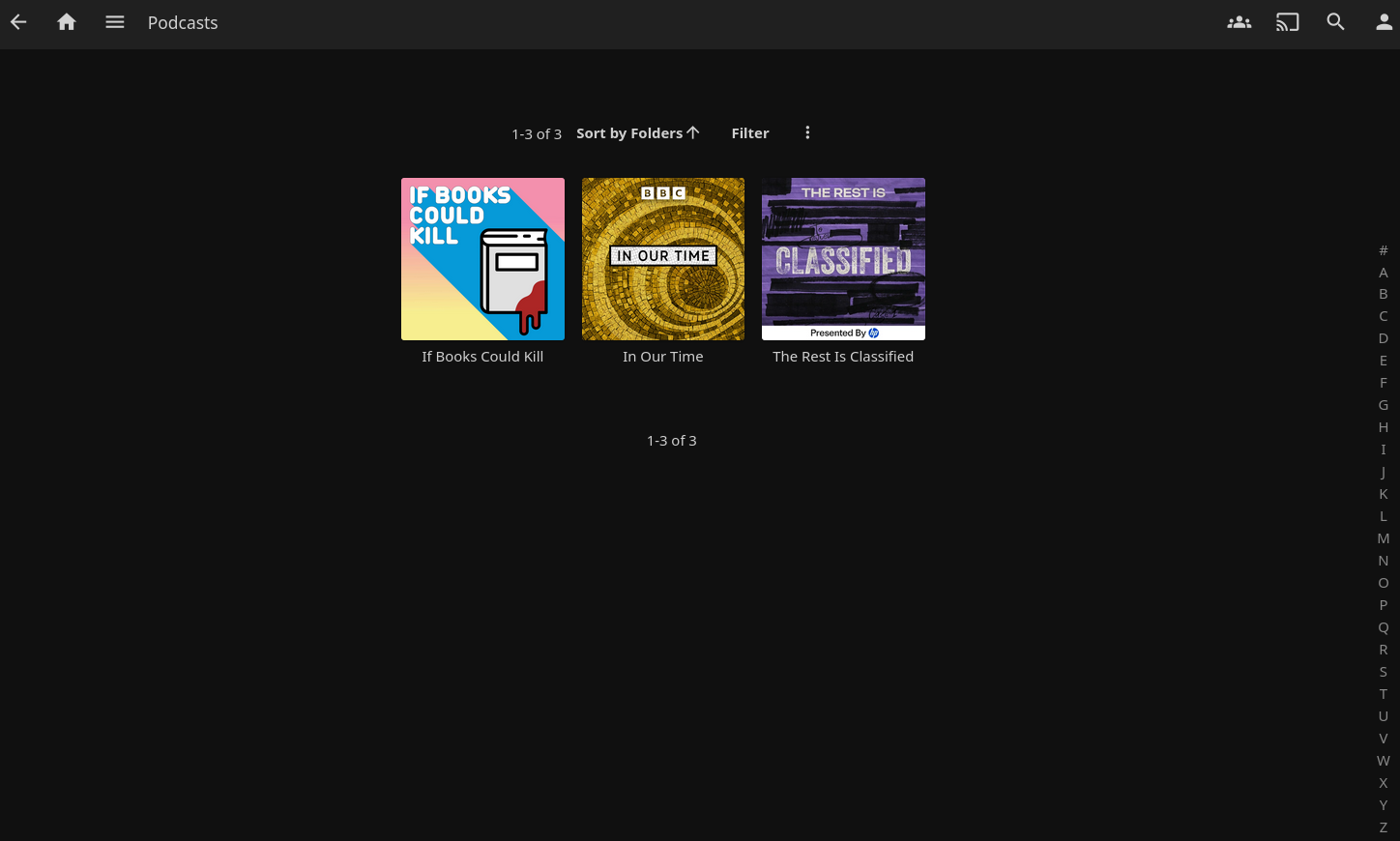
- Browse and subscribe to podcasts
- Automatic episode downloads
- Integration with Jellyfin's library system
- Post-download script hook for audio processing
Post-Download Script Hook
Jellypod supports running a custom script on each downloaded episode before it's added to your library. This is useful for:
- Audio normalization (e.g., using ffmpeg-normalize)
- Format conversion
- Metadata enhancement
- Custom processing workflows
Configuration
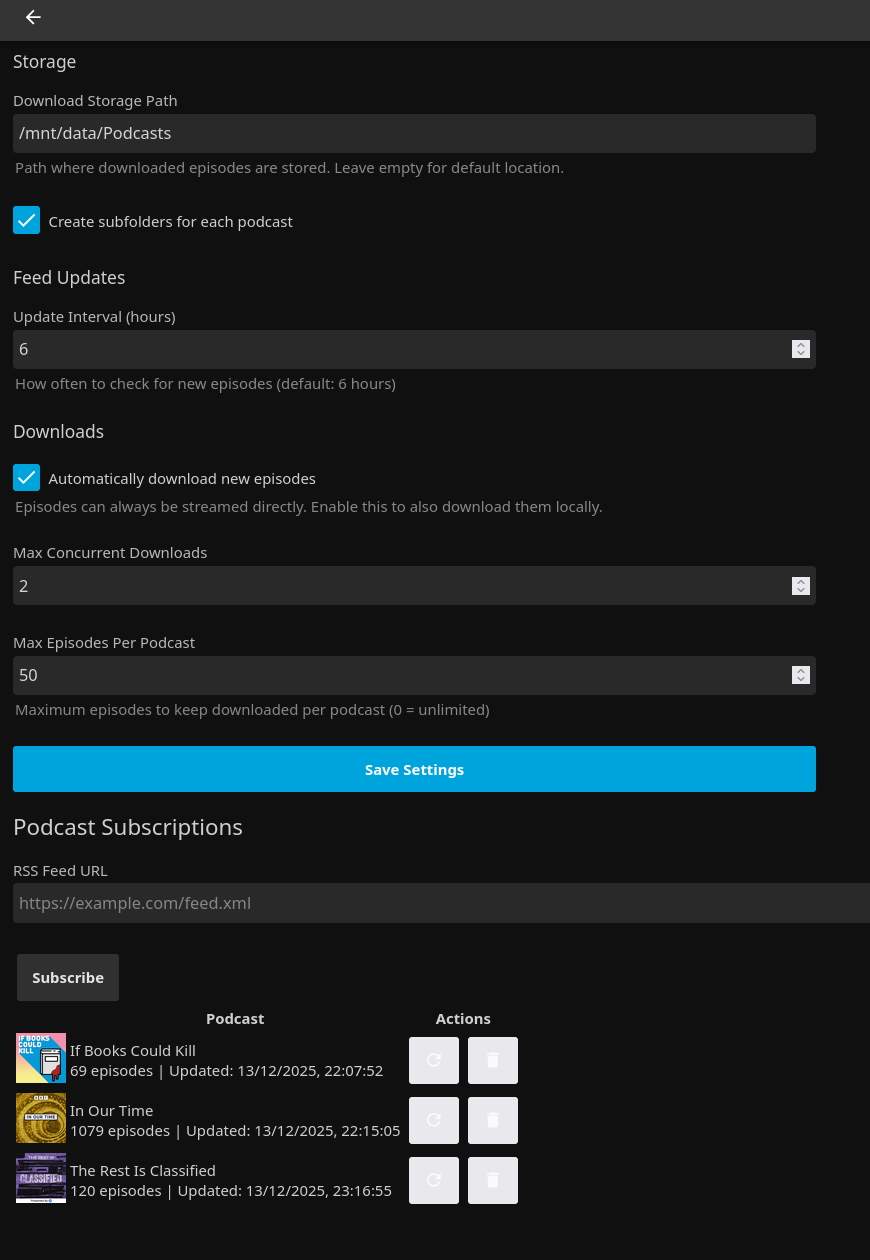
In the plugin settings (Dashboard → Plugins → Jellypod):
- Post-Download Script Path: Full path to your script or executable
- Script Timeout: Maximum execution time in seconds (default: 60)
Script API
Your script will be called with two arguments:
script <input_file> <output_file>
input_file: Path to the downloaded episode (read-only)output_file: Path where your script should write the processed file
Example Scripts
Audio normalization (bash + ffmpeg):
#!/bin/bash
INPUT="$1"
OUTPUT="$2"
ffmpeg-normalize "$INPUT" -o "$OUTPUT" -c:a libmp3lame -b:a 128k
Format conversion (bash + ffmpeg):
#!/bin/bash
INPUT="$1"
OUTPUT="$2"
ffmpeg -i "$INPUT" -c:a aac -b:a 128k "$OUTPUT"
Behavior
- If the script succeeds (exit code 0) and creates the output file, the processed file is added to your library
- If the script fails, times out, or doesn't create an output file, the original downloaded file is used instead
- All script output (stdout/stderr) is logged for debugging
- Leave the script path empty to disable post-processing
Screenshots
Podcast Library
Plugin Settings
Installation
From Plugin Repository (Recommended)
- In Jellyfin, go to Dashboard → Plugins → Repositories
- Click the + button to add a new repository
- Enter:
- Repository Name:
Jellypod - Repository URL:
https://gitea.tourolle.paris/dtourolle/jellypod/raw/branch/master/manifest.json
- Repository Name:
- Click Save
- Go to Catalog tab and find Jellypod
- Click Install and restart Jellyfin
Manual Installation
- Download the latest release from Releases
- Extract the contents to your Jellyfin plugins directory:
- Linux:
~/.local/share/jellyfin/plugins/Jellypod/ - Windows:
%LOCALAPPDATA%\jellyfin\plugins\Jellypod\ - Docker:
/config/plugins/Jellypod/
- Linux:
- Restart Jellyfin
Building from Source
Requirements
Build
dotnet build
The plugin DLL will be in Jellyfin.Plugin.Jellypod/bin/Debug/net8.0/.
Development
This plugin is based on the Jellyfin Plugin Template.
See the .vscode folder for VS Code debugging configuration.
License
This project is licensed under the GPLv3 - see the LICENSE file for details.
Links
- Repository: https://gitea.tourolle.paris/dtourolle/jellypod